Smart Plugs and Bulbs: The Easy Start to a Smart Home
Smart plugs and bulbs are the cheapest way into a smart home. Here is how they differ, what to check before buying, and a simple setup in four steps.
Cobalt SignalEP-318
We may earn a commission if you buy through links in this guide. How we make money
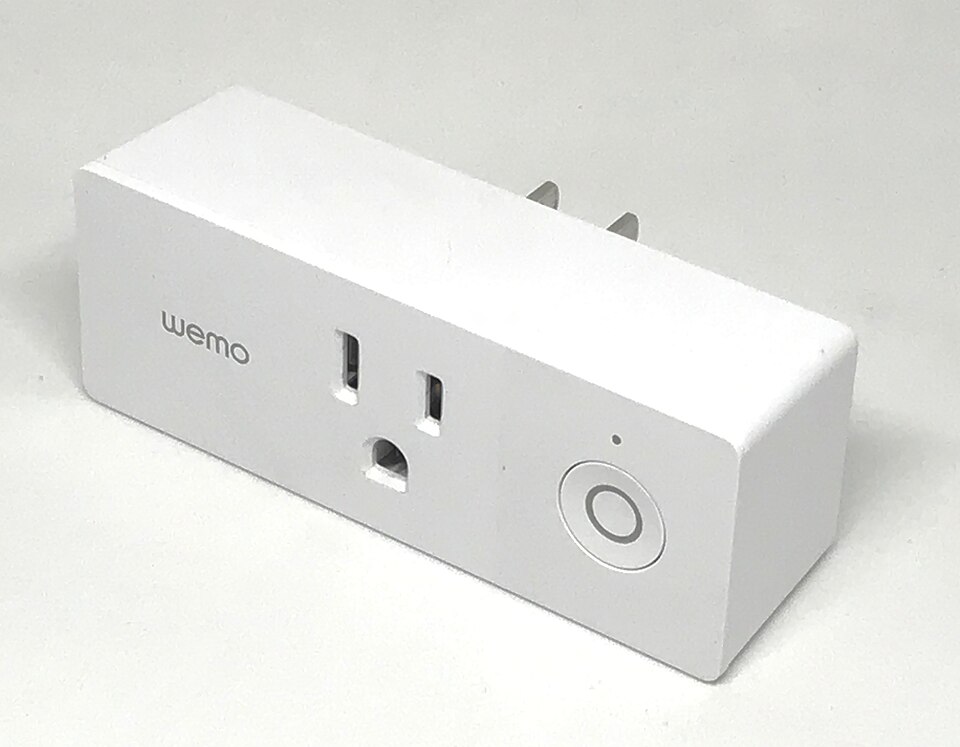
Kasa Smart Wi-Fi plug mini
A well-known, low-cost plug that works with the major voice assistants and needs no hub.
Smart plugs and smart bulbs are the simplest way to try a smart home. You do not need to rewire anything. A plug goes between the wall and a lamp, and a bulb screws into a socket you already own. Then you control them from your phone, on a schedule or by voice.
Which should you buy first? A smart plug for lamps and small appliances, a smart bulb when you also want dimming and color. Here is how to decide.
Plugs vs. bulbs
| Smart plug | Smart bulb | |
|---|---|---|
| What it does | Turns power on and off | Turns on and off, dims, often changes color |
| Works with | Any lamp, fan, coffee maker, holiday lights | Fixtures that take that bulb type |
| Cost | Budget | Budget to mid-range |
| Best first use | Lamps, timers, a space heater with auto shutoff, never a device you cannot leave on | Bedroom and living room lighting |
| Catch | No dimming | The wall switch must stay on |
That last point trips people up. A smart bulb needs constant power. If someone flips the wall switch off, the bulb drops off the network and your voice command fails. Plugs avoid the issue for lamps because the lamp stays on its own switch.
What to check before you buy
- Your voice assistant. Look for support for Alexa, Google Home or Apple Home, whichever you use.
- The connection type. Wi-Fi models need no hub. Zigbee and Thread models need a hub or compatible speaker but are often more reliable with many devices. Matter is a newer standard meant to work across brands.
- The 2.4 GHz band. Many cheap Wi-Fi plugs only work on 2.4 GHz networks, so check your router.
- Size and spacing. Some plugs are wide and block the second outlet. Look for a compact or mini design.
- The load rating. Read the plug's maximum watts and amps, and never power a heavy appliance through a plug not rated for it.
Well-known options
The TP-Link Kasa mini plug is a common starting point because it is cheap and simple. The Amazon Smart Plug suits Alexa households. For bulbs, Philips Hue is the long-established line, with a bridge for the full feature set and a premium price. Wiz and Govee bulbs are lower-cost Wi-Fi options. If your lighting plan is bigger, see our post on lighting a room in layers for how to combine lamps and bulbs.
A four-step first setup
- Pick one room, such as the living room, and one device, such as a lamp you use daily.
- Plug in the smart plug, open its app and join it to your 2.4 GHz Wi-Fi.
- Name it something simple, like "Living Room Lamp," so voice commands work.
- Set a schedule, such as on at sunset and off at 11 p.m.
Run it for a week before you buy more. You will learn what you actually use.
Useful things to automate
Once the first plug works, a few small routines make the setup worth it. Turn a lamp on at dusk so you come home to a lit entry. Switch off a holiday light string at bedtime. Put a fan on a timer, or cut power to a phone charger overnight. A bulb in the bedroom can fade up slowly in the morning as a gentle alarm. Keep each routine simple, because a setup you can explain in one sentence is one you will keep using.
Safety and privacy notes
Plug only suitable devices into a smart plug. Keep heat-producing items like space heaters on a direct wall outlet unless the plug is rated for them. Use a strong, unique password for each app account, and keep the firmware updated when the app prompts you.
When a smart device acts up
Most problems come from Wi-Fi. If a plug goes offline, move your router closer, restart the plug by unplugging it for ten seconds and check that your phone and the device are on the same network. A single weak spot in the house can drop several devices at once.
The bottom line
Start with one or two plain smart plugs for lamps. They are cheap, they work with almost anything and they show you right away whether smart controls suit you. Add a few smart bulbs for rooms where you want dimming and warm or cool light, and choose one ecosystem so everything works together.
Photo: Gregory Varnum, CC BY-SA 4.0, via Wikimedia Commons.